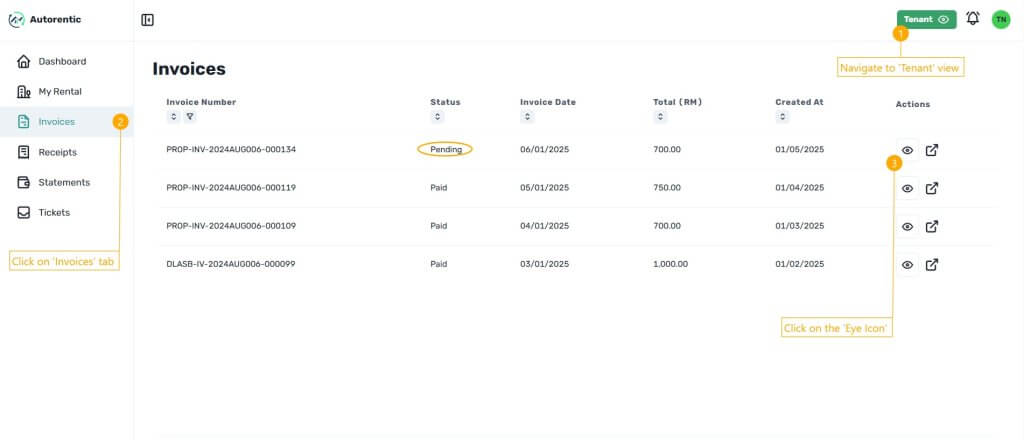
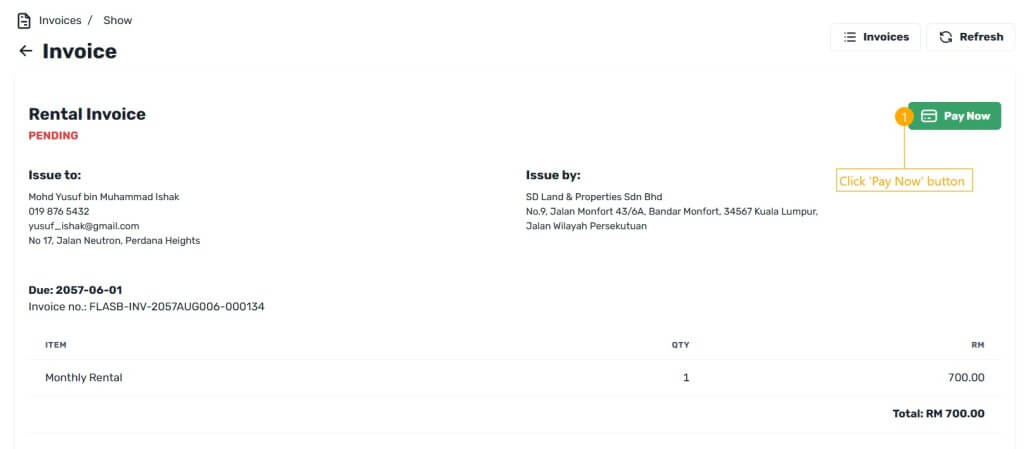
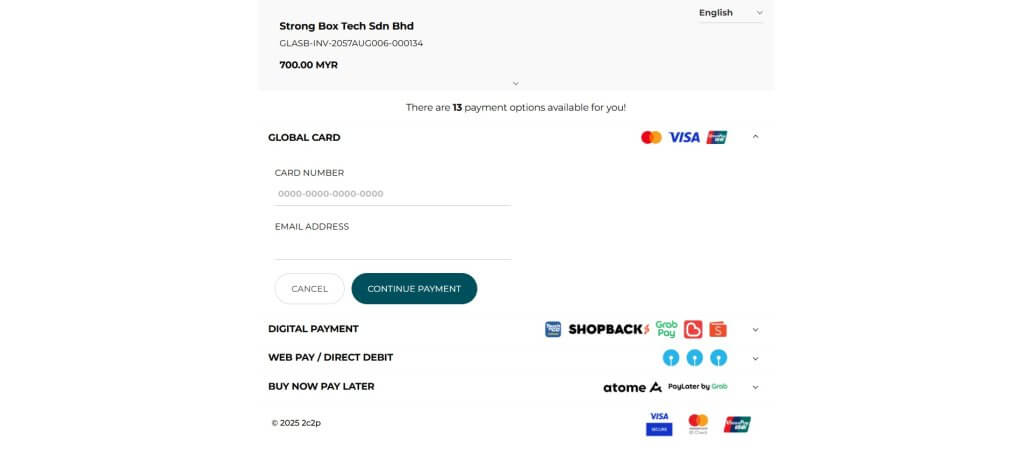
Tenant - How to Pay Rental Step 1 Go to Autorentic dashboard and make sure you are in the tenant view.Click on the “Invoices” tab on the left side menu bar.Click on the ‘Eye icon’ button on the right side of listed pending invoice that you want to pay. Step 2 You will be directed to the rental invoice where you can see the payment details.Click on the green ‘Pay Now’ button on the invoice. Step 3 You will be directed to the payment method page.Choose your desired payment method and insert all the details needed to proceed payment. After done making payment, the system will tell you successful payment made and you will be redirected to the dashboard.