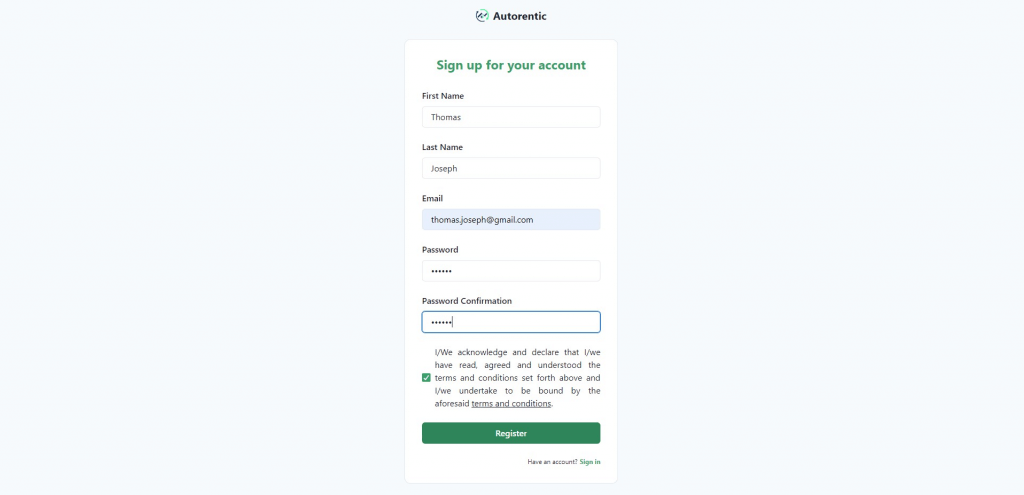
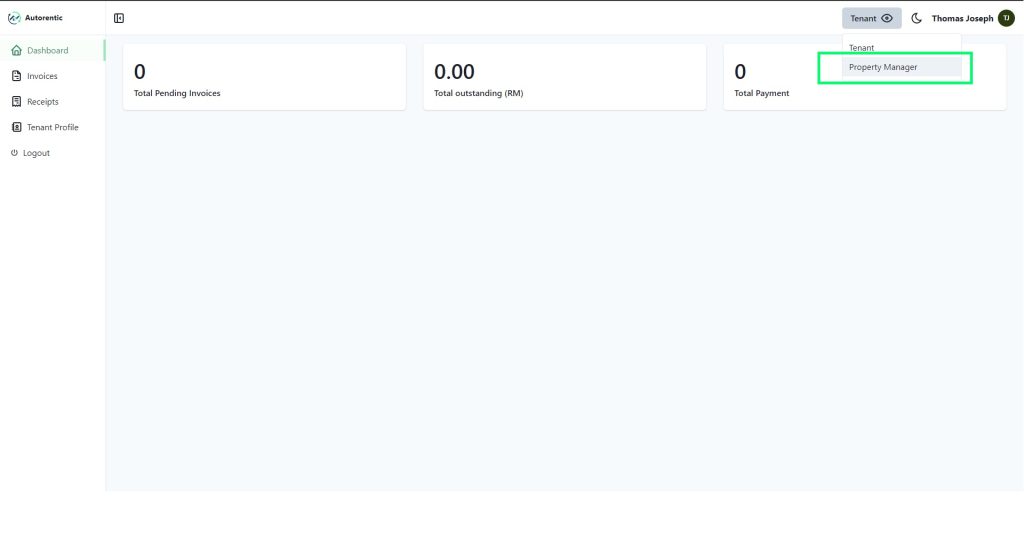
Property manager account sign up Step 1: Go to the Autorentic register page and enter all your details and click on 'Register' to proceed register account. Step 2: Now you have successfully set up an account, you will be directed to the dashboard as 'Tenant view'. Click on the 'eye icon' on top right and click on 'Property manager'. Step 3: Next, click on 'My Profile' on the left sidebar. Then, enter all property manager details needed and click on "Save" to set-up and create property manager account. Please make sure the information provided is correct especially:Email (to receive payment notification)Phone number (to enable us to contact you when necessary)Bank to receive payment (e.g. Maybank Berhad)Bank account name as registered with the bank (e.g. Ali Muthu Tan)Bank account numberPrefix invoice & receipt, is for your own records, you can put ‘INV’ for invoice and ‘OR’ for official receipt. Click here to learn how to create a property or room.